
Overview
Within Gevme Omnichannel, the organisers can now leverage the attendee check-in information for access control and audience filtering settings. This enhancement enables more personalised attendee experiences by allowing access to pages, content blocks, on-site check-in, mini experiences, and other features based on an attendee's check-in status and activity.
How the Feature Works
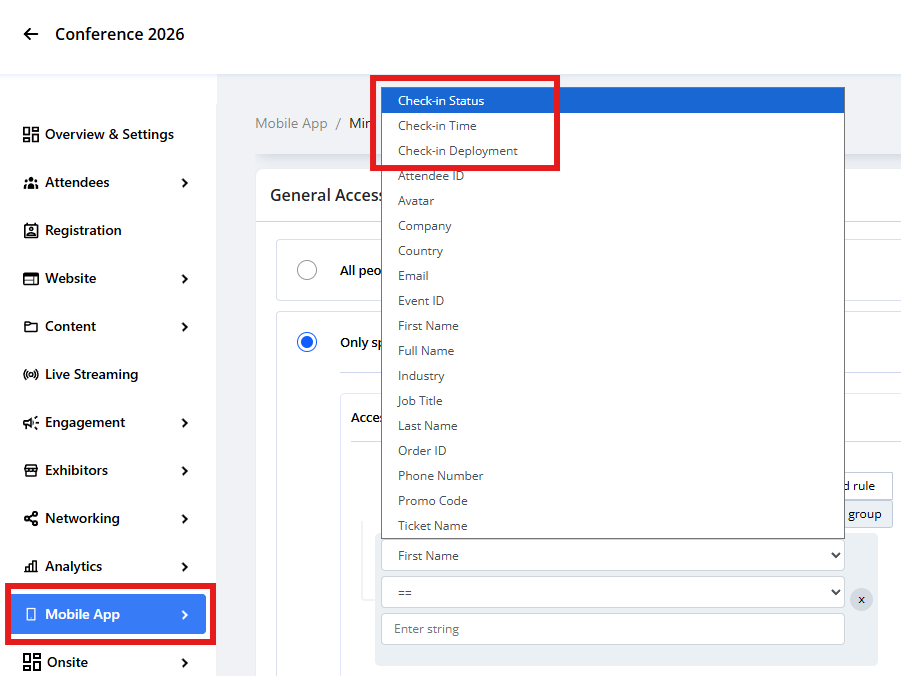
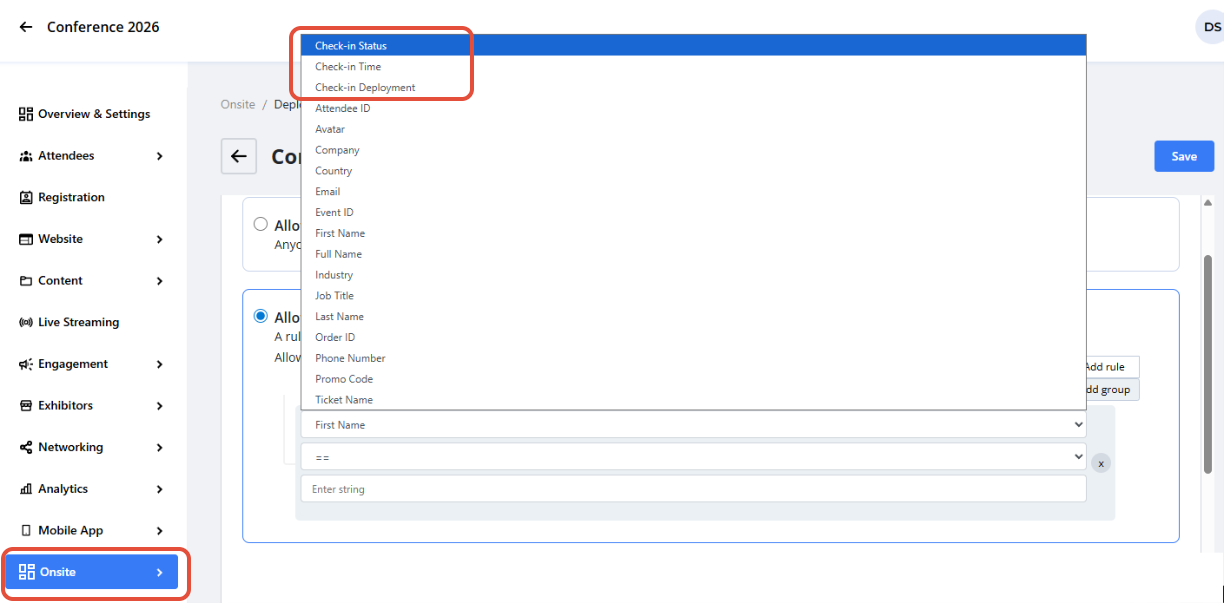
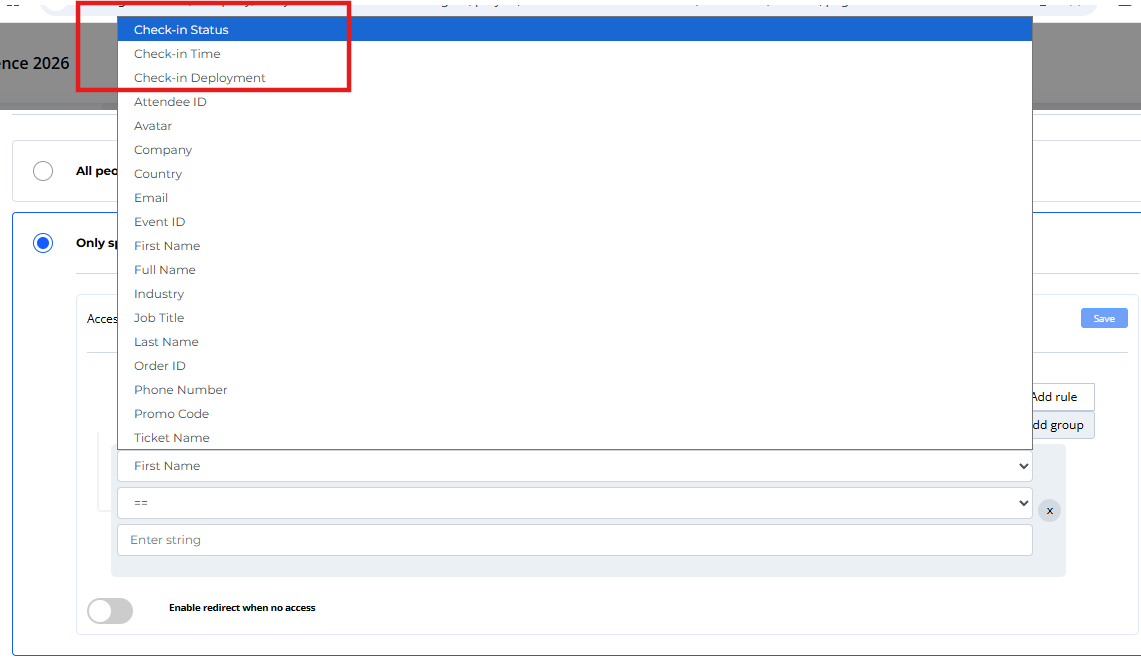
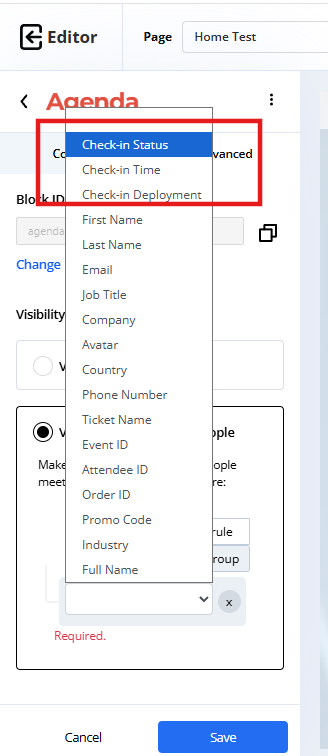
3 check-in fields are now available for use in Access Control rules and audience segmentation:
- Check-in Status – Indicates whether an attendee has checked in.
- Check-in Time – Records the date and time of check-in.
- Check-in Deployment – Identifies the deployment where the attendee checked in.
These fields are available for filtering and access control purposes but do not appear in the Attendee Grid.
The check-in fields can be used when configuring access control rules in the following areas:
1. Mobile App → Mini Experiences → Create Mini Experience → General Access
2. Onsite → Deployments → Access Control → Check-in Rules
3. Website → Page Settings → Privacy
4. Website → Page → Block → Advanced → Visibility Control
Use Cases
- Restrict access based on attendee check-in status.
- Filter attendees using check-in time ranges.
- Create audience segments based on check-in activity.
- Configure deployment-specific access rules.
- Apply access control at both page and block levels.
- Use check-in criteria across multiple web pages and the phone app.