
Overview
To strengthen security, we now have an additional organisation-level setting that allows administrators to enforce 2FA even for SSO logins.
How the Feature Works
When Enforce 2FA on SSO is enabled, users must complete 2FA verification even after successfully authenticating through their SSO provider.
Standard Login (Email & Password)
The existing login flow remains unchanged:
Login → Password Verification → 2FA Verification → Dashboard
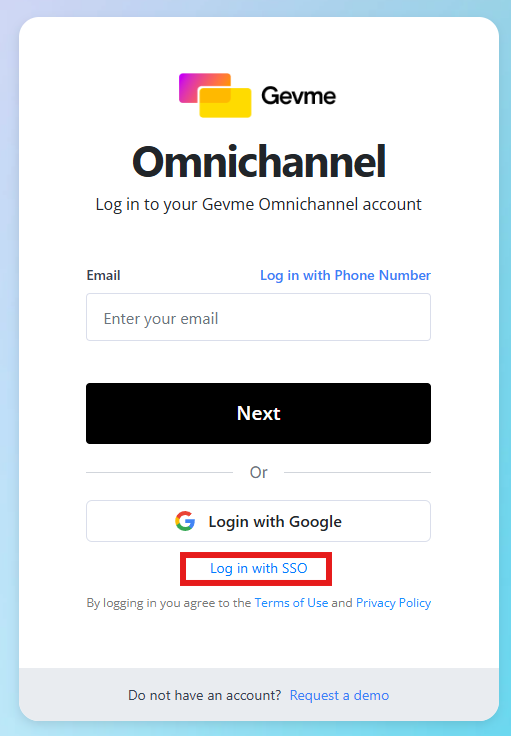
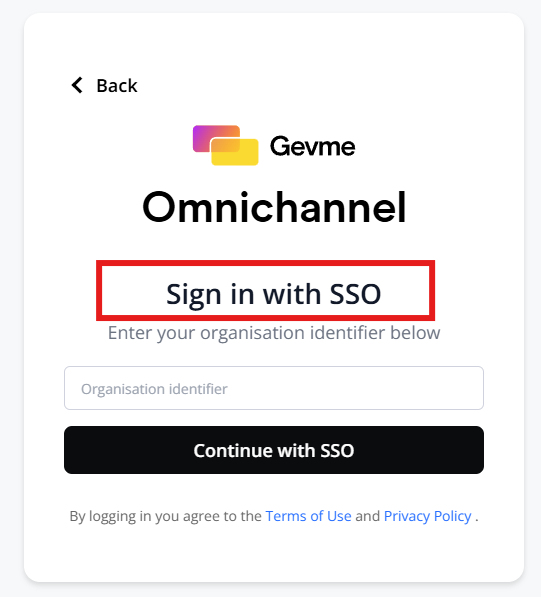
SSO Login → Dashboard
When Enforce 2FA on SSO is Enabled
Users must complete an additional 2FA verification step before accessing the platform.
SSO Login → SSO Authentication → 2FA Verification → Dashboard
If a user has not yet configured 2FA, they will be prompted to set it up before they can continue.
How to Set It Up
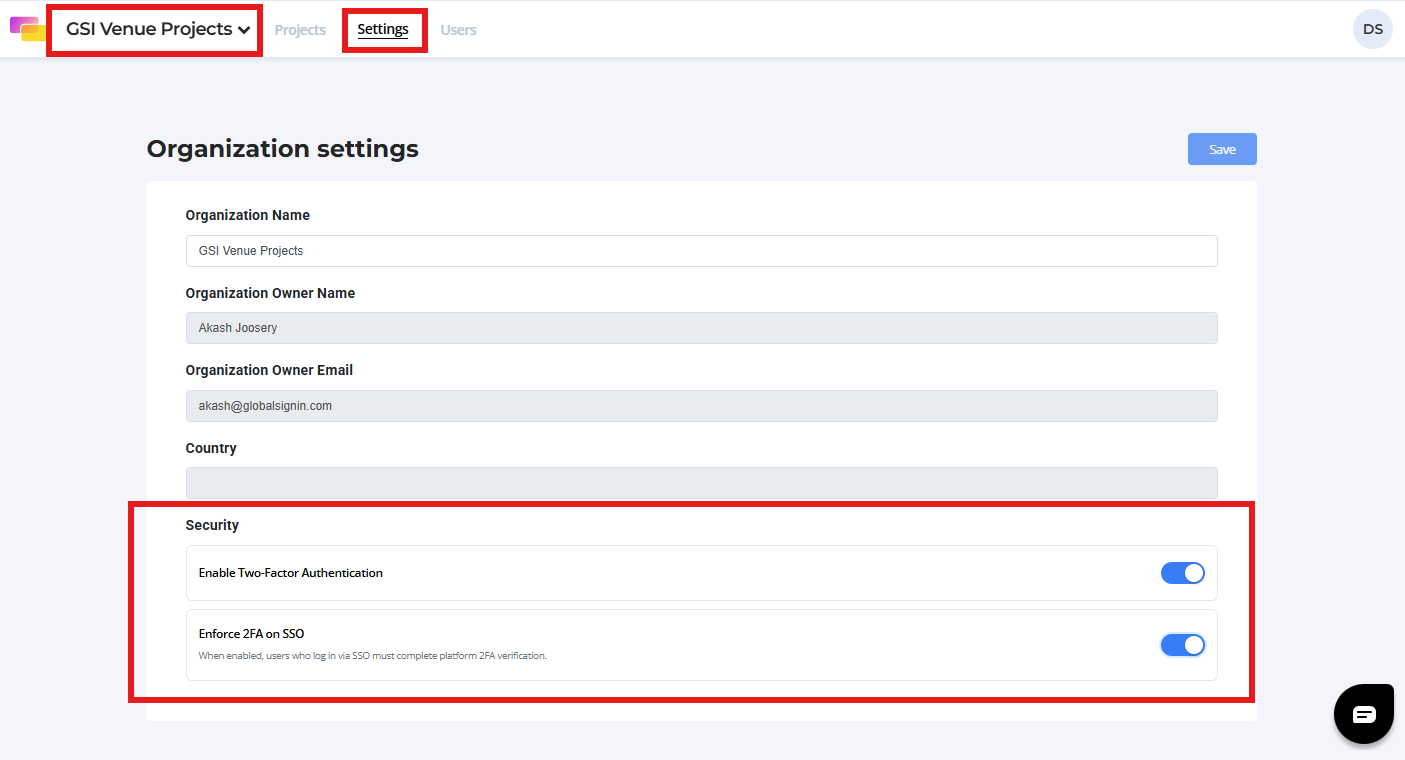
- Navigate to Organisation Settings.
- Open the Security Settings section.
- Enable Two-Factor Authentication (2FA) if it is not already enabled.
- Locate the Enforce 2FA on SSO toggle.
- Turn the toggle on.
- Save your changes.
Once enabled, all users signing in through SSO will be required to complete 2FA verification before gaining access to the platform.
Key Features
- Organization-level enforcement of 2FA for SSO logins.
- Additional security verification after successful SSO authentication.
- Available only when Organization 2FA is enabled.
- Automatically prompts users to configure 2FA if it has not been set up.
- Prevents dashboard access until 2FA verification is completed.
- Automatically disables when Organisation-level 2FA is turned off.
- Disabled by default for existing organisations.
Important Notes
- The Enforce 2FA on SSO option is only visible when Organisation 2FA is enabled.
- If Organisation 2FA is disabled, the Enforce 2FA on SSO setting is automatically disabled.
- Users who have not configured 2FA will be prompted to complete setup during their next SSO login.
- Users may continue to use supported recovery methods and backup codes if needed.
Benefits for Event Organisers
Strengthen Account Security
Ensure all users complete a second verification step regardless of their login method.
Close the SSO Security Gap
Prevent users from bypassing organisational 2FA policies by signing in through SSO.
Enforce Consistent Security Policies
Apply the same authentication standards to both traditional and SSO-based login methods.
Reduce Unauthorised Access Risks
Add an extra layer of protection against compromised credentials and unauthorised account access.
Ready to Try?
Enable Enforce 2FA on SSO to strengthen your organisation's security posture and ensure that all users complete Two-Factor Authentication, regardless of how they sign in.
For additional assistance, please get in touch with the Gevme Support Team