
Overview
The Onsite Meeting Reports feature helps event teams track whether scheduled onsite networking meetings actually took place.
Unlike online meetings, where attendance can be verified automatically through join and leave activity, onsite meetings require manual confirmation. This feature provides a structured post-meeting confirmation process, enabling event organisers to collect accurate attendance data and generate more reliable networking reports.
This feature supports two types of users:
| Attendees | Admin | |
|---|---|---|
| Profile | Users directly involved in the meeting: - Meeting Organiser - Guest | Users who manage meetings from the event backend. |
| What can they do | Attendees can: - Confirm whether a meeting took place - Indicate if a meeting did not happen - Provide optional remarks | Admins can: - Review attendee confirmation - Add administrative remarks - Confirm whether a meeting occurred - Access reporting and export tools |
| Channels | Attendees can submit confirmations through the event page (Livebar) or email notifications. | Via the backend dashboard |
How the Feature Works
After an onsite meeting ends, attendees are prompted to confirm whether the meeting took place. Their responses are recorded independently and made available to admins for review.
The Onsite Meeting Report captures confirmation details submitted by:
- Meeting Organisers
- Guests
- Admins
All report data can be exported for post-event analysis and reporting.
When a Meeting Ends
Once the scheduled end time of an onsite networking meeting has passed, Meeting Participants will see a Meeting Happened call-to-action under Livebar > Your Schedule on the event platform.
| LiveBar | Post-Meeting Confirmation Email | |
|---|---|---|
| Activation | This feature is enabled by Default | Activation by Admin Networking > Scheduled Meeting > Settings It is nested under Allow Email Notification 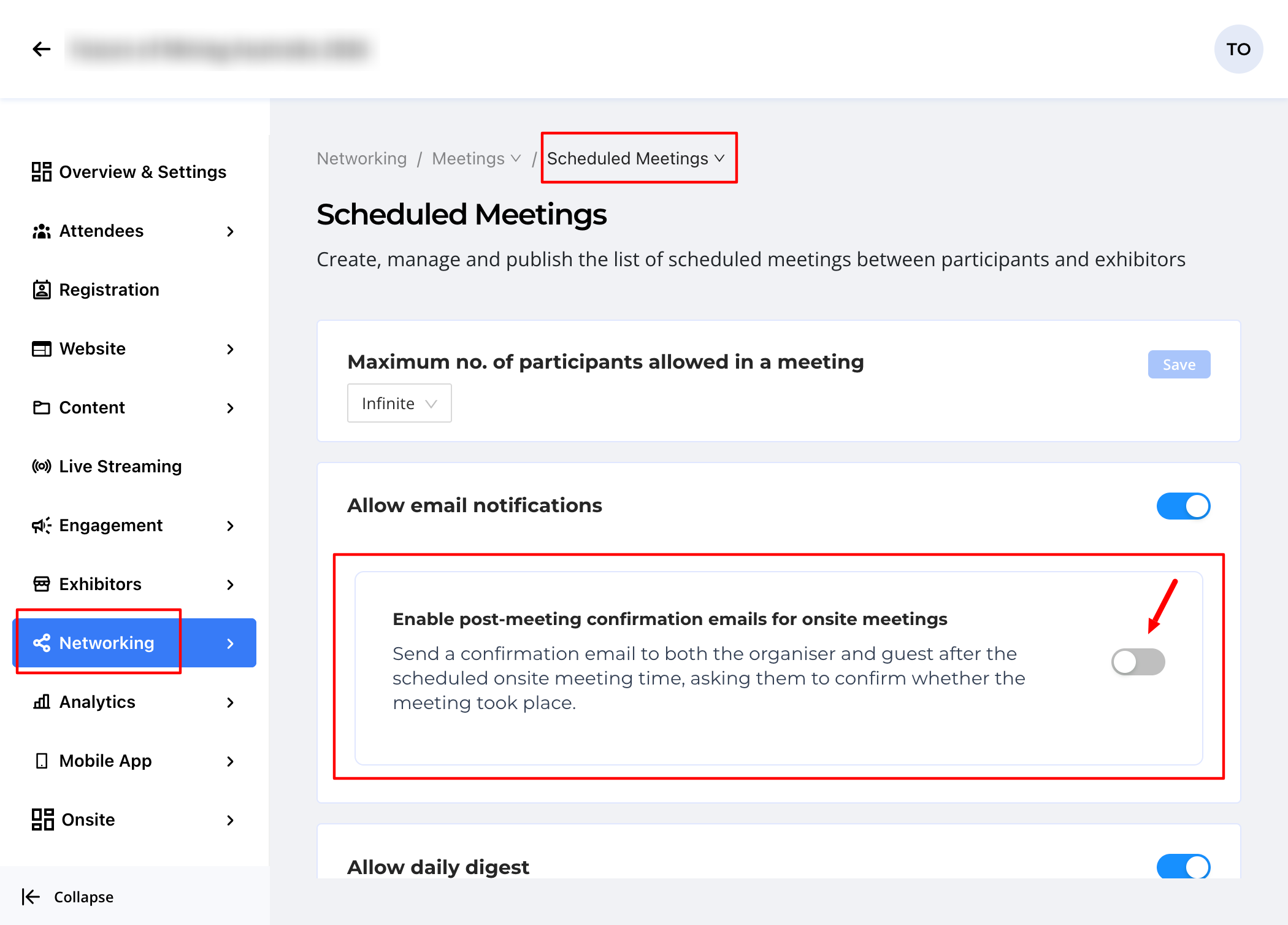 |
| Interface/Email | 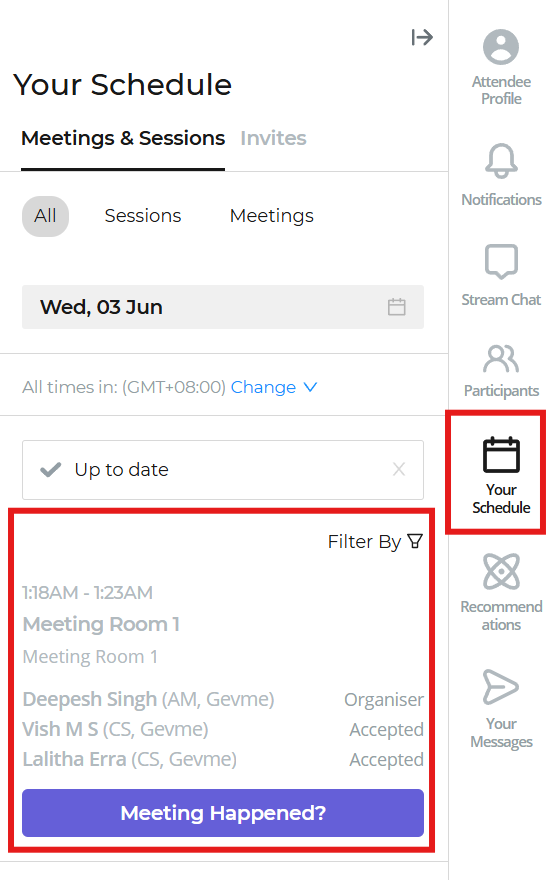 | 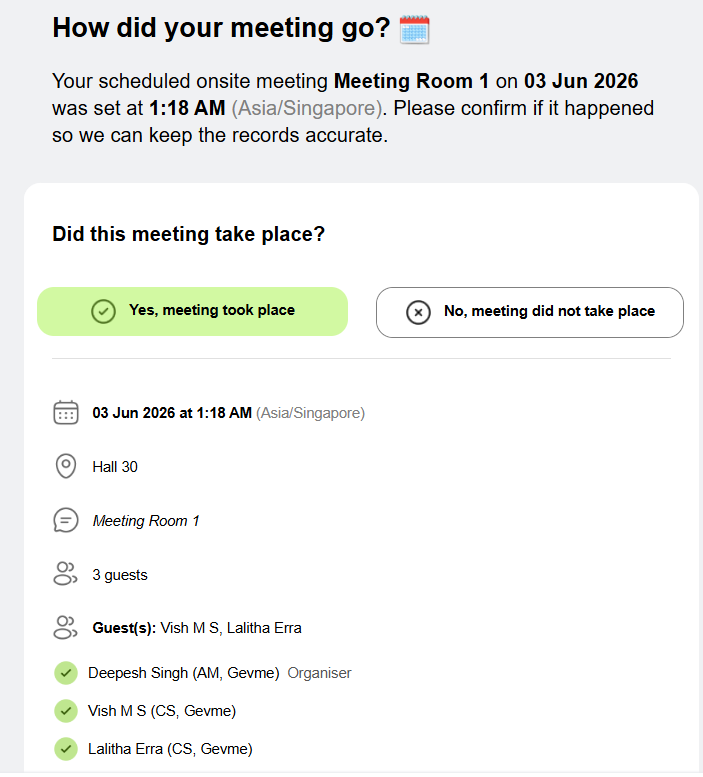 |
Confirm Meeting Status
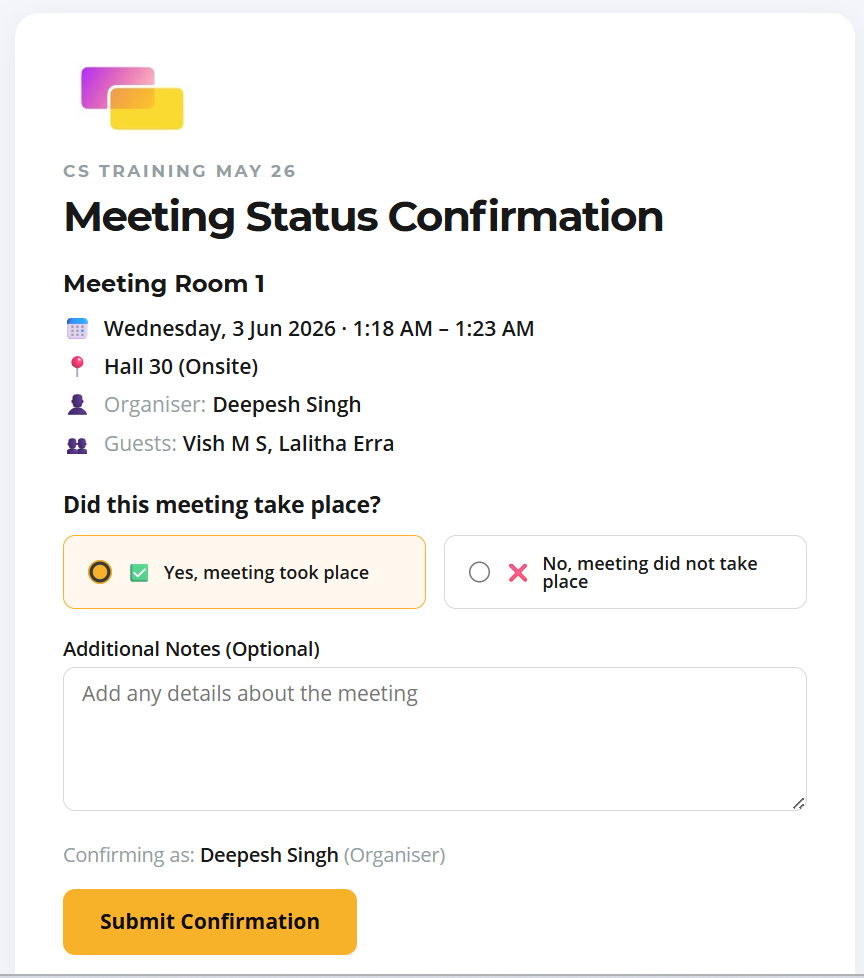
Attendees can confirm whether:
- Yes, the meeting happened
- No, the meeting did not happen
Attendees may also provide optional remarks about the meeting.
Confirmation is Recorded
Each attendee's response is stored independently.
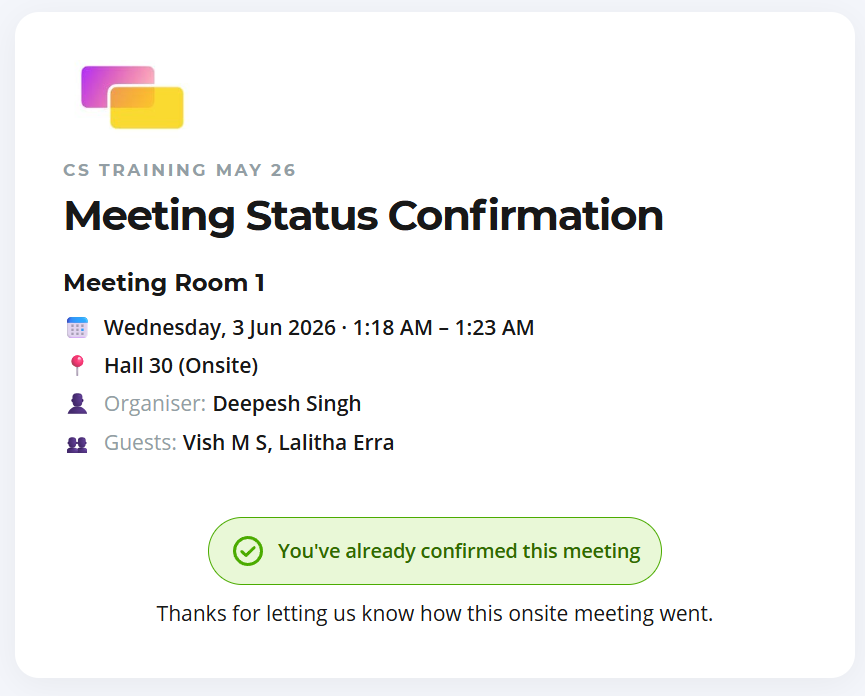
Admin Review and Update Meeting Status on behalf of Attendee(s)
For Accepted Meetings, Admins can review meeting confirmations from the event backend via Networking > Scheduled Meetings > Past Meetings > Details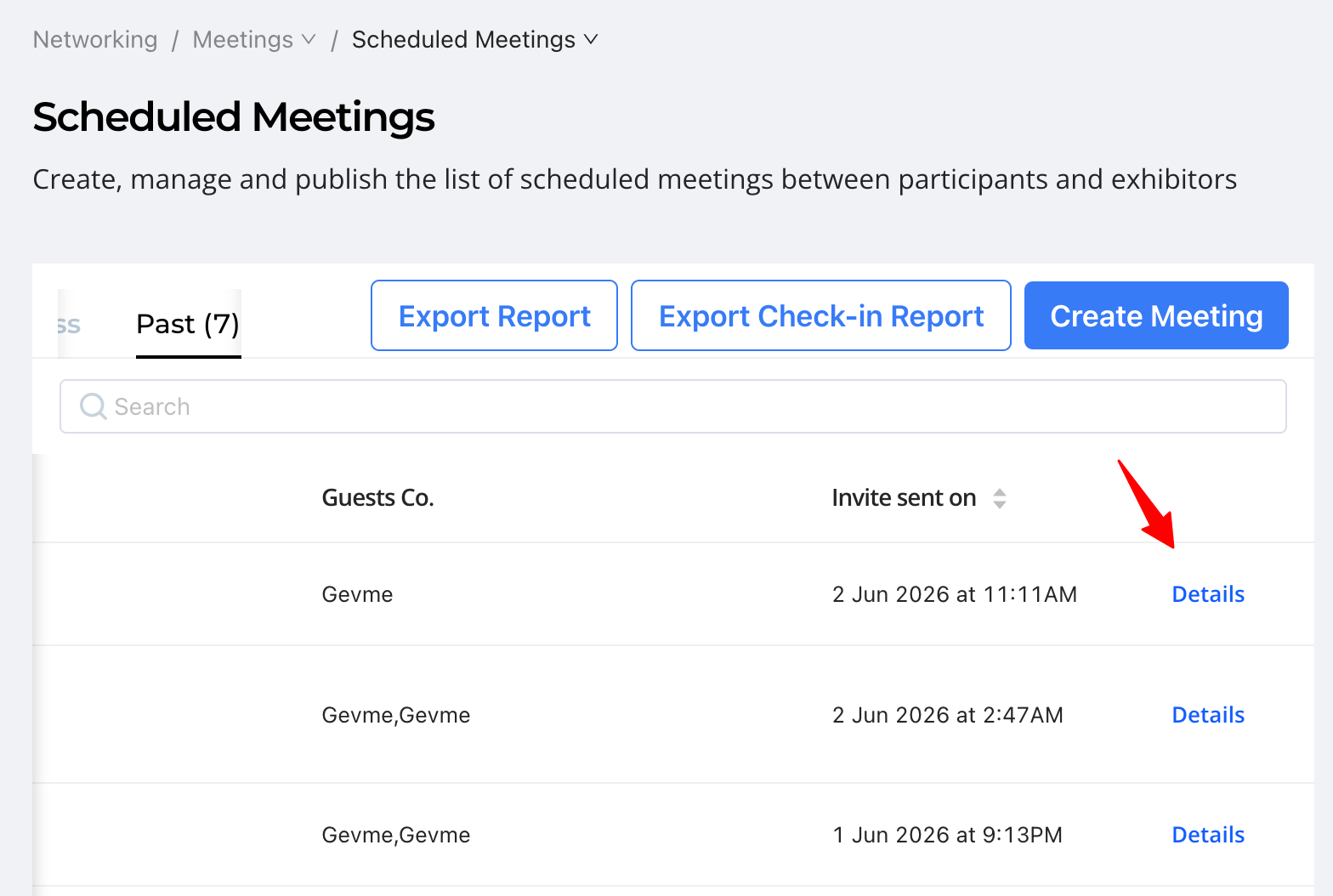
And confirm the Meeting Status in need.
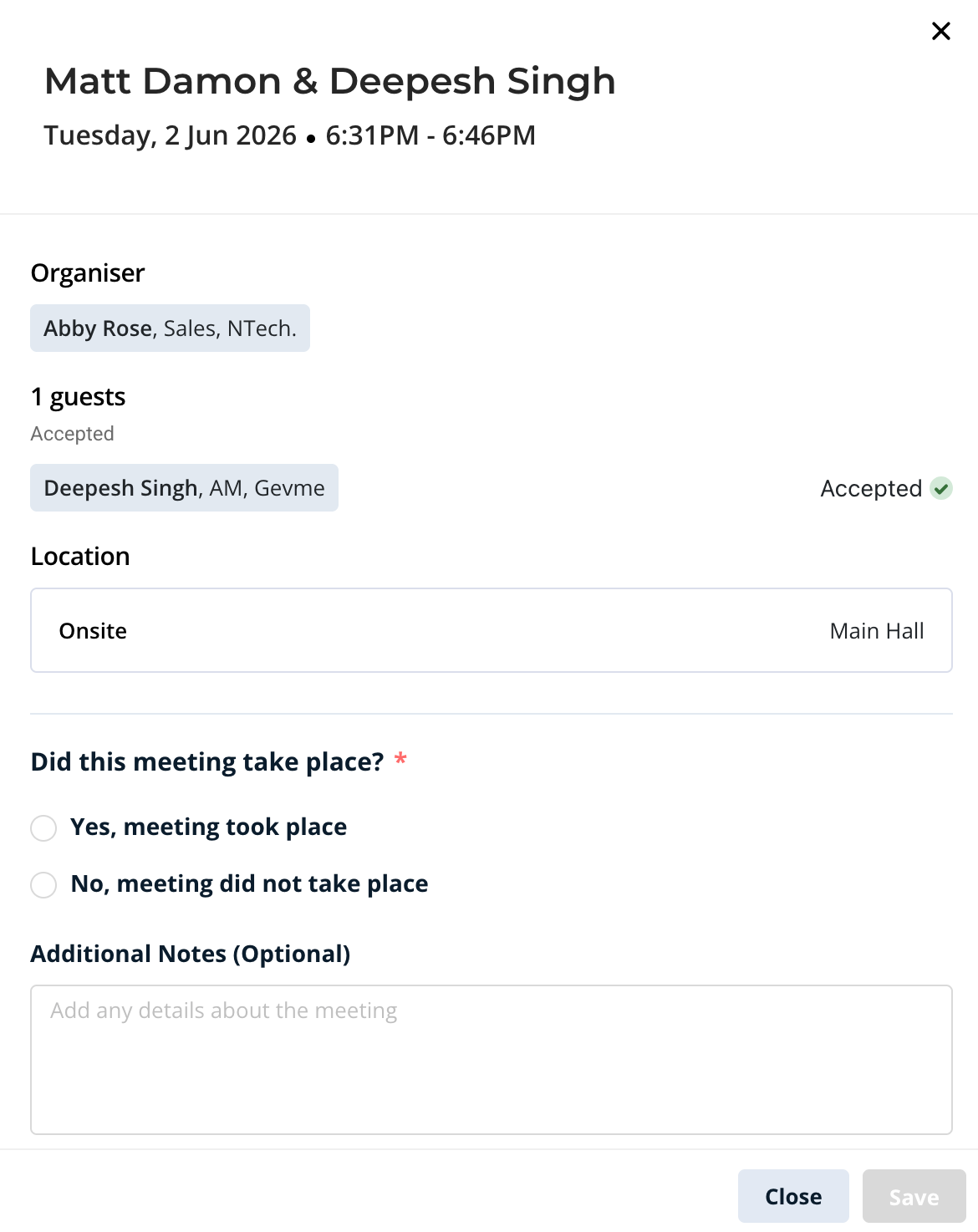
Reporting & Analytics
Meeting Status submitted is presented in the Check-in Report / Onsite Meetings
Admins can export the report for:
- Event analysis
- Networking performance measurement
- Attendance verification
- Internal record-keeping
Each attendee's response is stored independently.
Any remarks submitted by attendees are also captured in this report.
For example:
- The Meeting Organiser can mark a meeting as "Happened."
- The Guest can mark the same meeting as "Did Not Happen."
Responses are recorded independently and do not overwrite one another. For an administrative overview, please refer to the final column in the report - Confirmation Status, which consolidates the status across all user types.
| Meeting Organiser Confirmation | Guest Confirmation | Overall Confirmation Status |
|---|---|---|
| Yes | Yes | Meeting Happened |
| No | No | Meeting Did Not Happen |
| Blank | Blank | Awaiting Responses |
| Yes | No | Needs Verification |
| No | Yes | Needs Verification |
| Yes | Blank | Meeting Likely Happened |
| Blank | Yes | Meeting Likely Happened |
| No | Blank | Meeting Likely Did Not Happen |
| Blank | No | Meeting Likely Did Not Happen |
Admins can export the report for:
- Event analysis
- Networking performance measurement
- Attendance verification
- Internal record-keeping
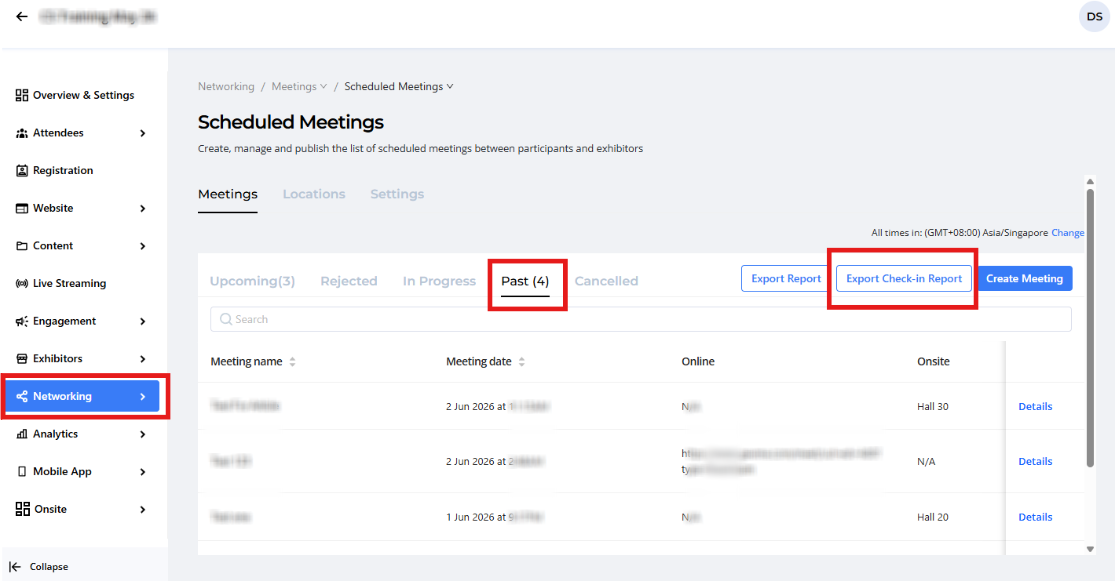
Select Onsite Meetings
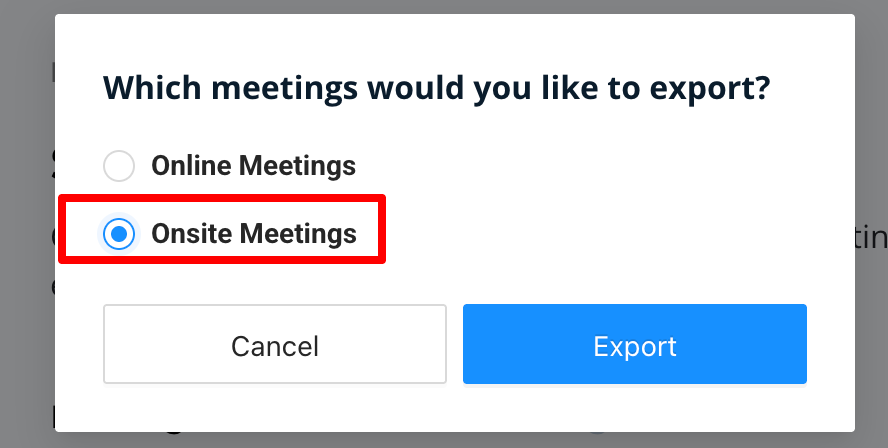
The exported report contains:
- Meeting Name
- Meeting Date
- Meeting Location
- Organiser Name
- Organiser Confirmation Status
- Organiser Remarks
- Guest Count
- Guest Name(s)
- Guest Confirmation Status
- Guest Remarks
- Admin Confirmation Status
- Admin Remarks
- Overall Confirmation status