
Overview
Meeting Reports - Online
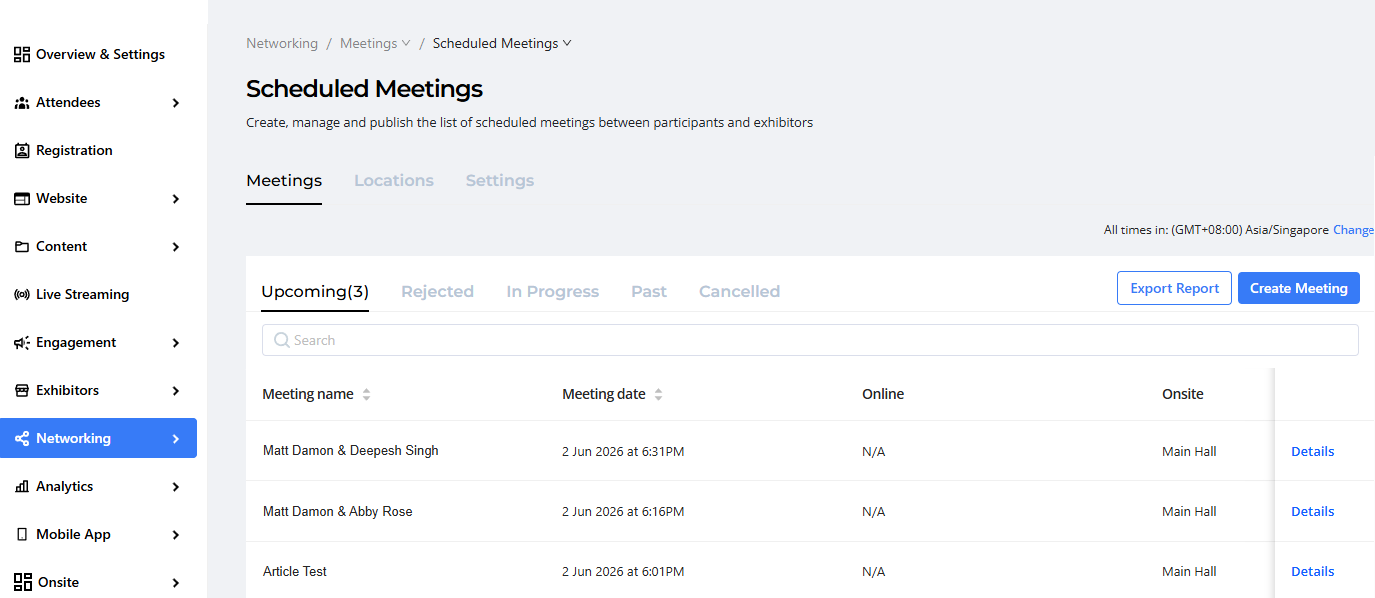
Relevant Meetings can be located on different tabs: Upcoming, Rejected, In Progress, Past and Cancelled meetings and downloaded from there. To obtain a detailed report of a specific past event, click on Details and then export the report.
How the Feature Works
Accessing Online Meeting Reports
- Navigate to the Networking Module
- Open the Scheduled Meetings section.
- Select the relevant tab based on the meeting status:
* Upcoming
* In Progress
* Past
* Rejected
* Cancelled - Locate the desired meeting from the list.
Exporting Online Reports
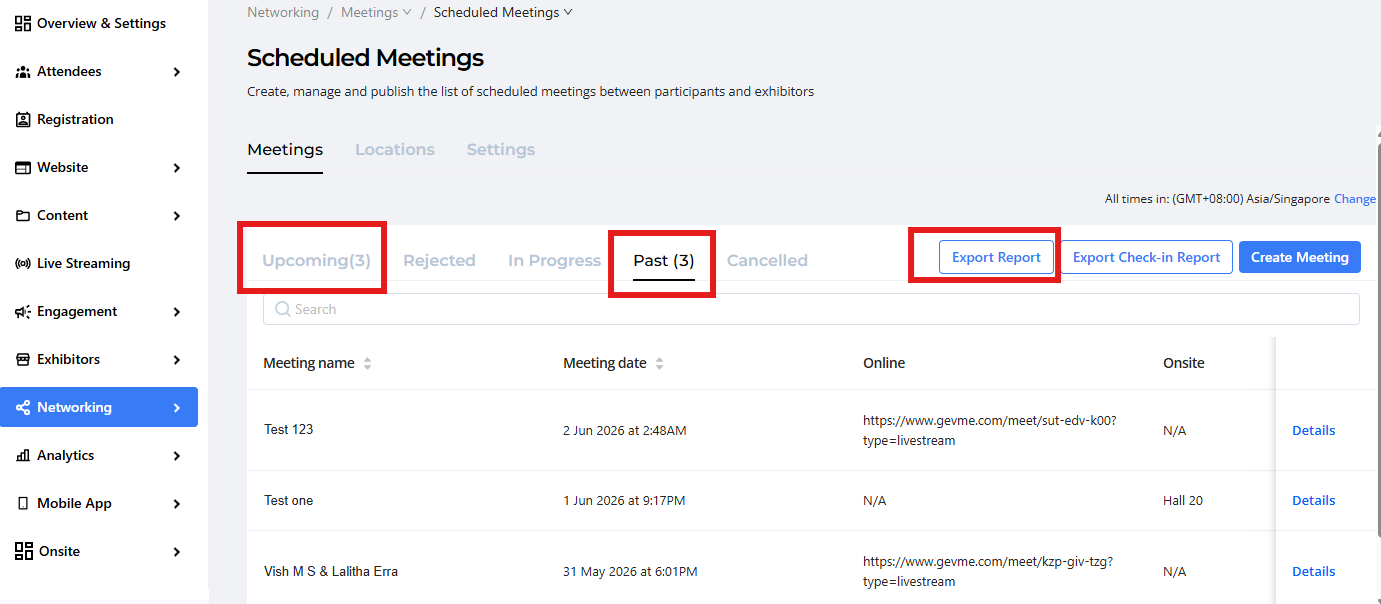
For meetings listed under the Upcoming and Past tabs:
- Select Export Report.
- The system will generate and download a detailed report containing meeting-related information.
Key Features
Organizers can perform the following actions:
- View meeting information and participant details.
- Export detailed meeting reports.
- Edit meeting details when required.
- Cancel scheduled meetings.
- Send email communications to meeting participants.
- Review meeting status and engagement history.
Benefits for Event Organisers
The Meeting Reports feature helps organizers:
- Monitor networking activity across the event.
- Track attendee engagement and participation.
- Maintain records of completed meetings.
- Analyze networking effectiveness and meeting volumes.
- Export data for post-event reporting and stakeholder reviews.
- Improve future event networking experiences using participation insights.
Ready to Try?
Start leveraging the Meeting Reports feature to gain valuable insights into attendee networking activities, track meeting engagement, and streamline post-event reporting.
For additional assistance, please contact the Gevme Support Team