
Gevme supports a variety of platforms. This guide explains how to retrieve embed links from these platforms and add them to Gevme.
https://www.youtube.com/
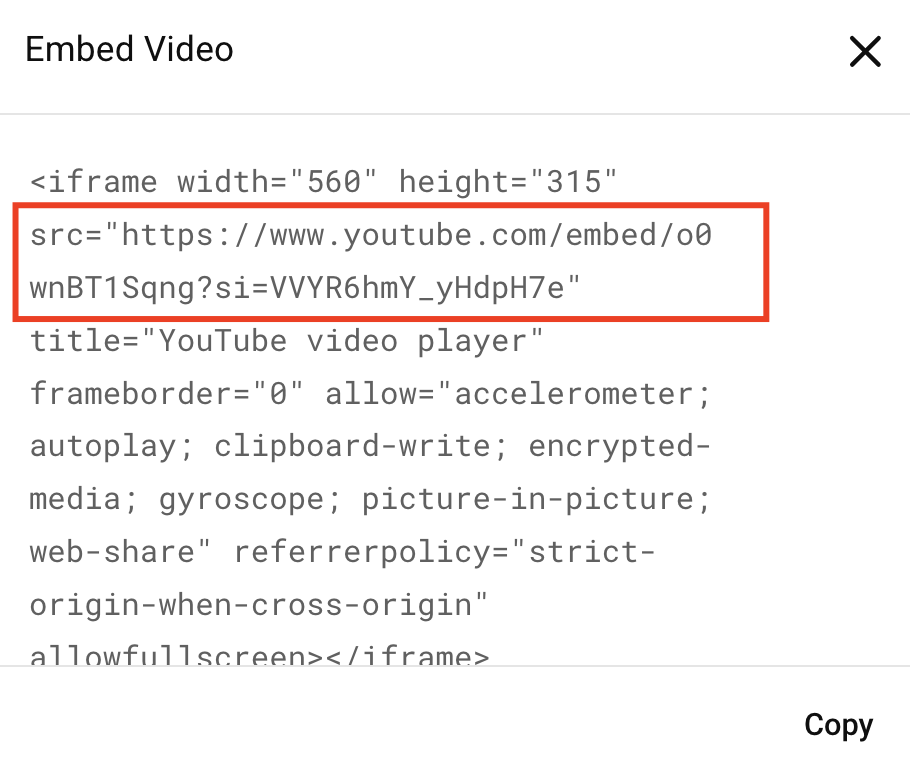
YouTube Embed Link Format: https://www.youtube.com/embed/{video_id}
Steps to get the embed link:
1. Open the YouTube video you want to use.
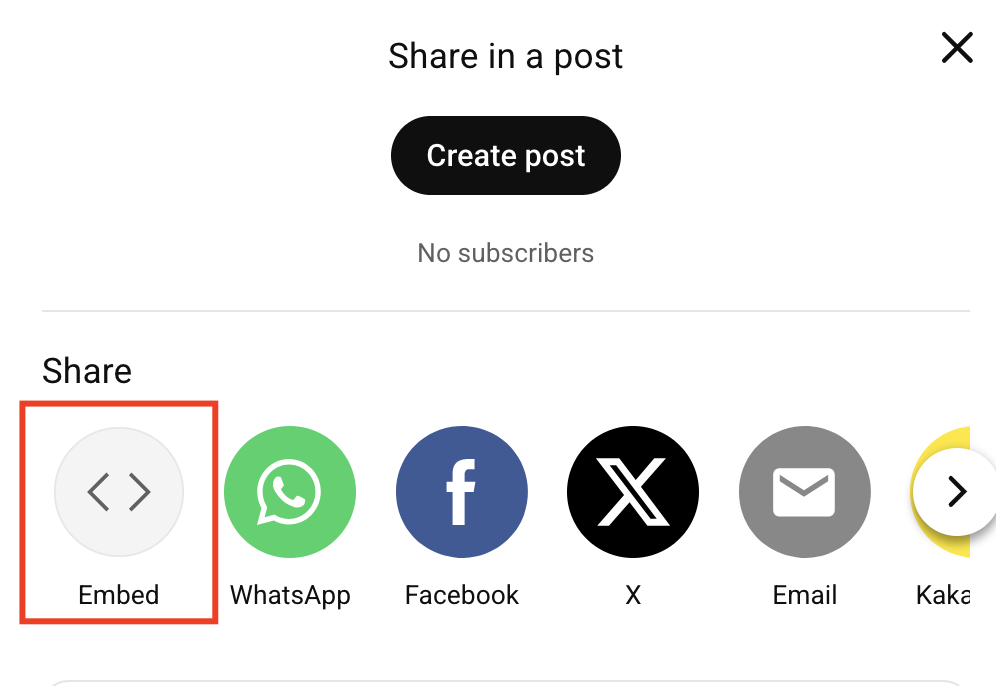
2. Click Share below the video
3. Select Embed
4. Retrieve the URL only and paste it into Gevme.
https://vimeo.com/
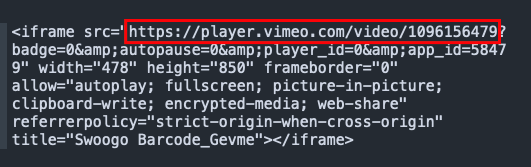
Vimeo Embed Link Format: https://player.vimeo.com/video/{video_id}
Steps to get the embed link:
1. On Vimeo, locate the video that you want to use
2. Click Settings / Copy embed code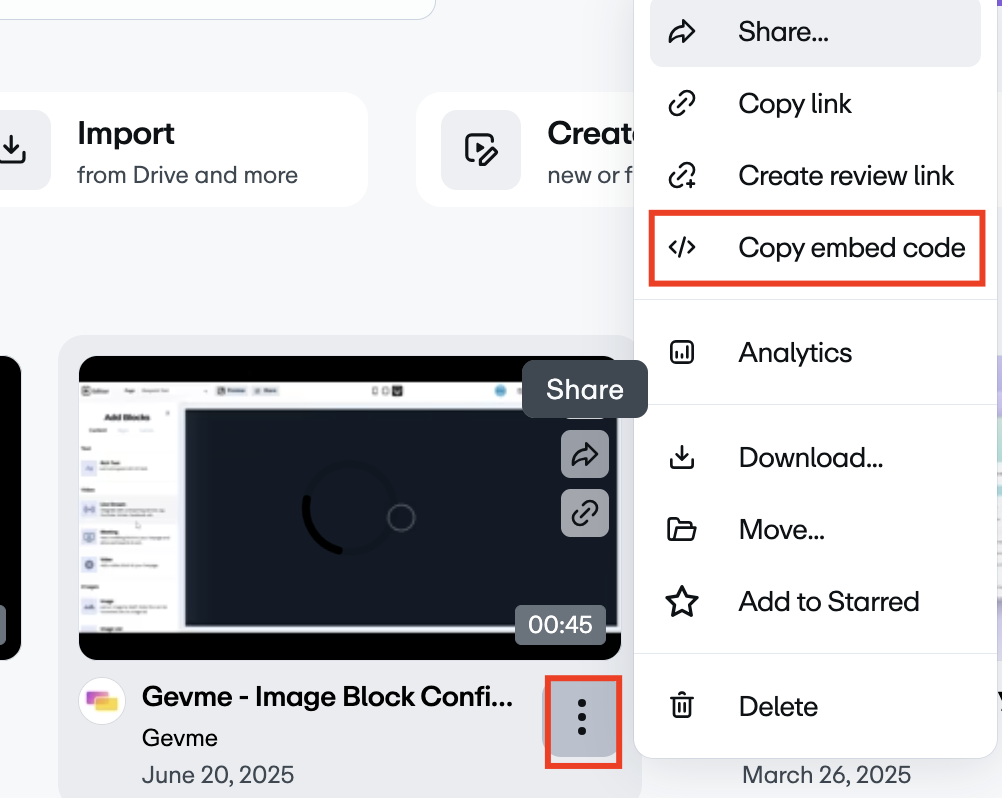
4. Retrieve the embed link, copy the URL and paste it into Gevme
https://www.facebook.com
Vimeo Embed Link Format: https://www.facebook.com/watch/?v={video_id}
Ensure that your Facebook video is public.
Steps to get the embed link:
1. On Facebook, locate the video that you want to use
2. Click Settings / select Copy Link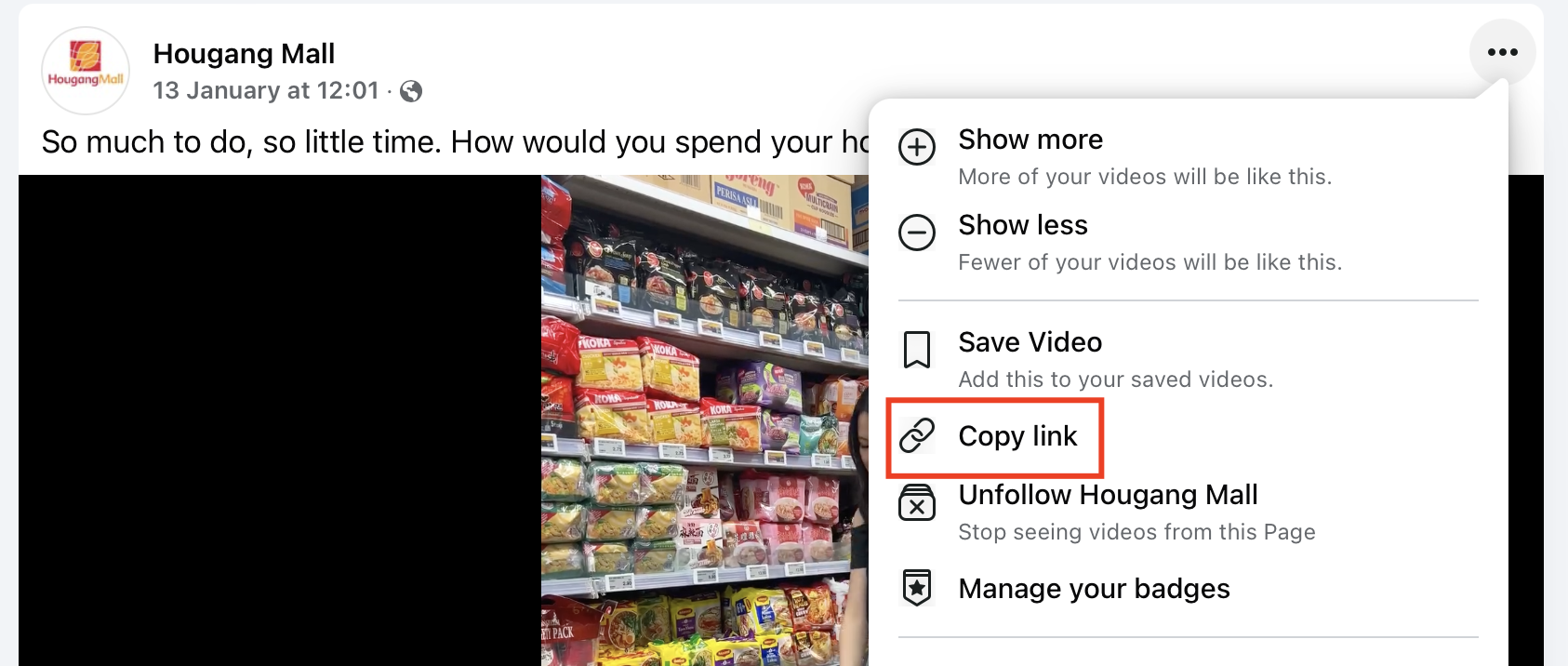
3. Paste the URL in Gevme