
Overview
EventGPT is an AI-powered assistant built into the Gevme Omnichannel platform. It is designed to help event organizers, users, and attendees instantly find answers to event-related questions.
How the Feature Works
EventGPT uses the structured data configured within the event to generate relevant responses.
- It references event modules such as Agenda, Speakers, Exhibitors, and FAQs.
- Users can type questions in natural language (e.g., “What time is the keynote?”).
- The system processes the query and retrieves contextual answers based on available event content.
- Responses are displayed instantly within the configured interface (mobile app, embedded widget, or shared URL).
For best performance, event data should be complete and up to date before deployment.
Key Features
- AI-powered real-time responses
- Context-aware answers based on event data
- Multiple deployment options (App, JS, iframe, URL)
- Scalable support for large audiences
- Seamless integration within event touchpoints
Benefits for Event Organizers
- Reduces repetitive attendee queries
- Provides 24/7 automated assistance
- Enhances attendee engagement and experience
- Minimizes manual support effort during live events
- Improves accessibility of event information
How to Set it Up
Follow the steps below to create EventGPT:
- Log in to the Gevme Omnichannel Admin Panel.
- Navigate to Engagement.
- Click Create New EventGPT
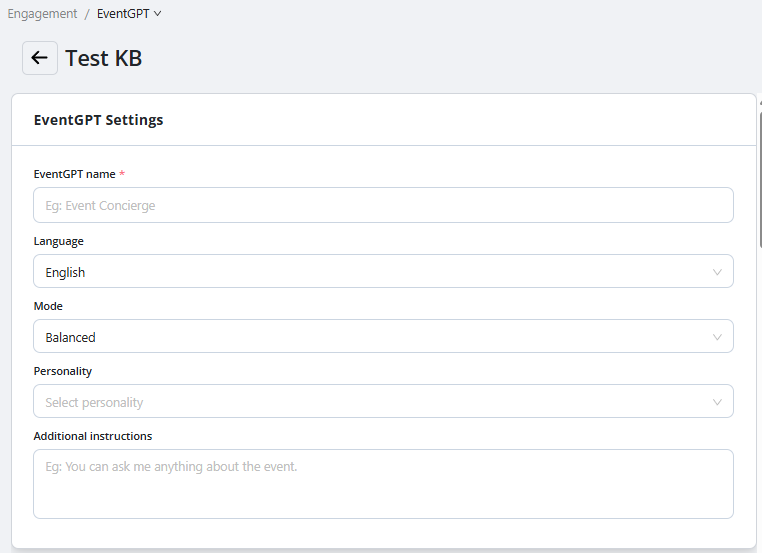
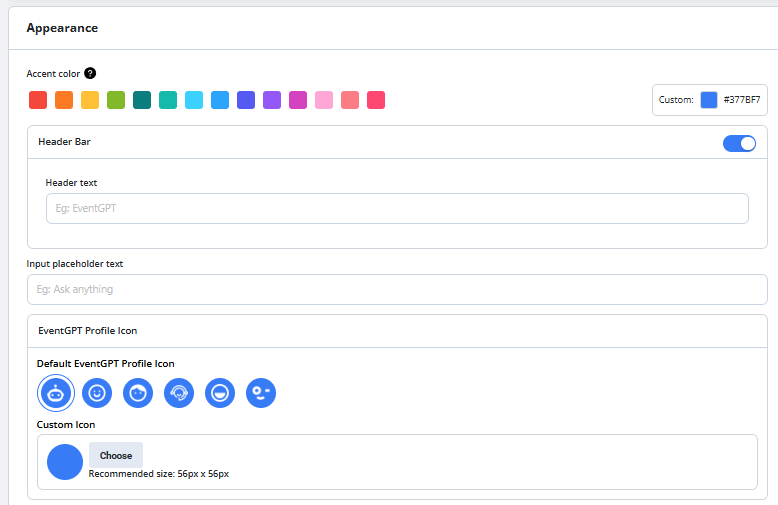
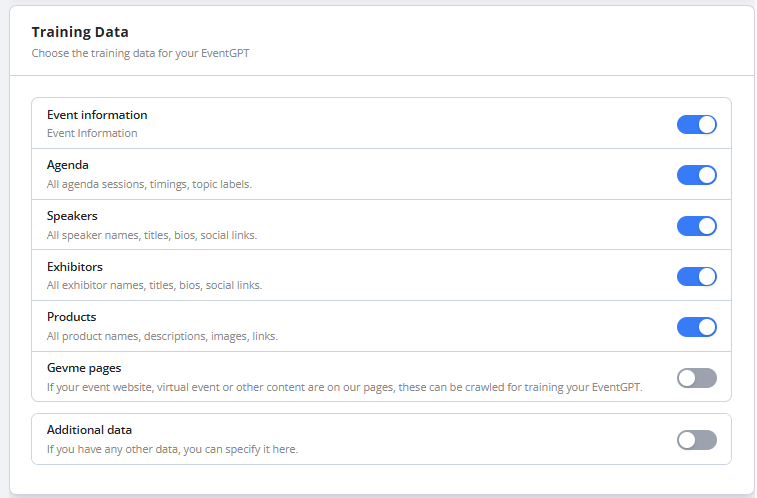
- Enter the required configuration details
- Ensure relevant event modules (Agenda, Speakers, Exhibitors, FAQs) are properly populated
- Save the configuration
Once created, proceed to deployment.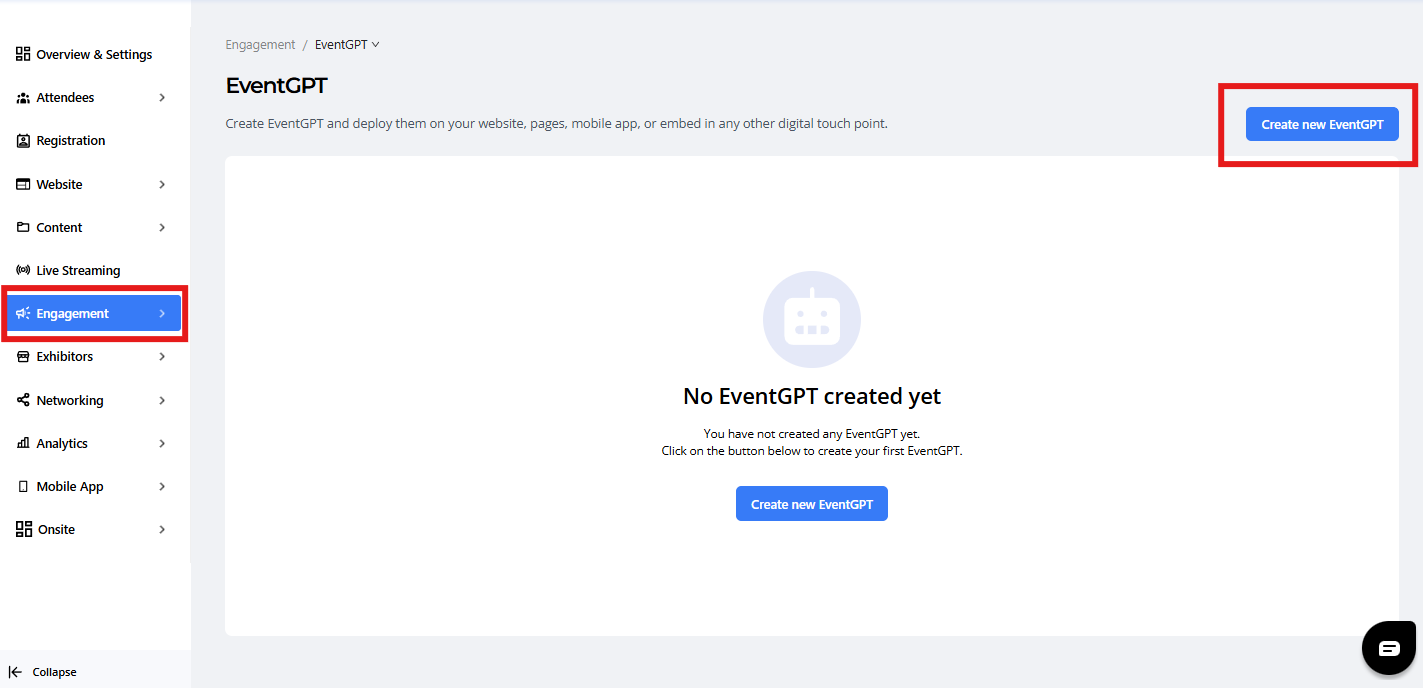
Deploy Your EventGPT
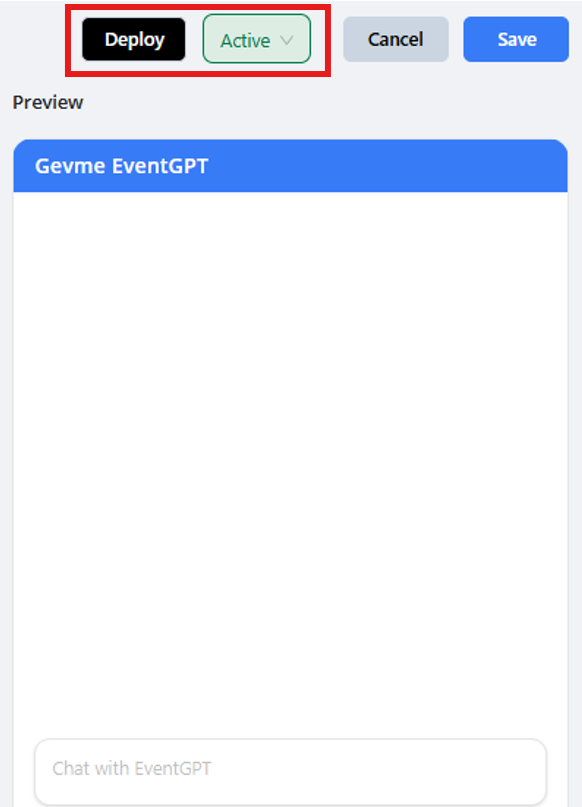
After creating EventGPT, it must be deployed to make it accessible to attendees.
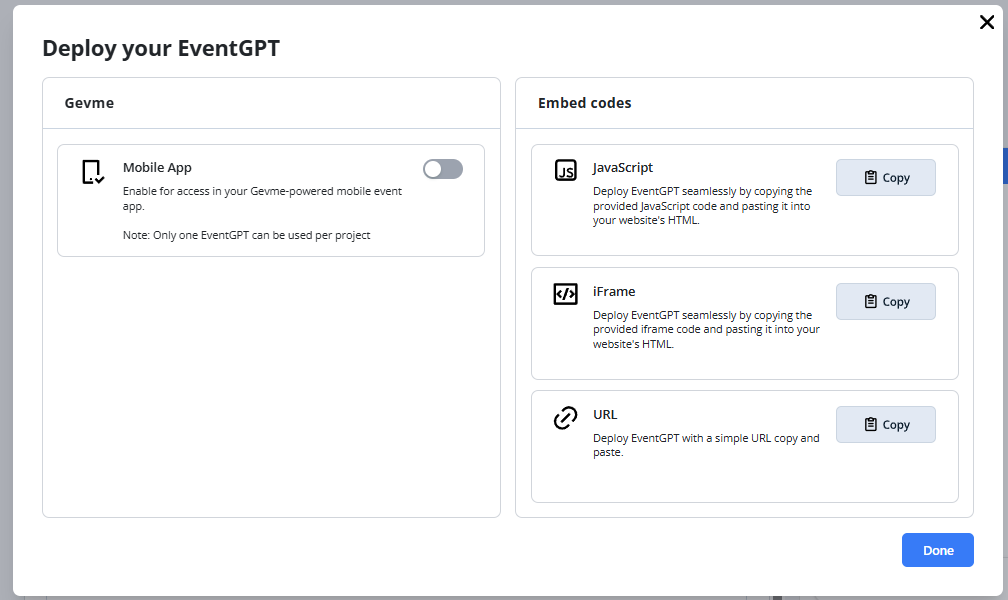
EventGPT supports the following deployment options:
1. Gevme Mobile App
EventGPT can be deployed within the Gevme Mobile App
2. Embed Codes
EventGPT can also be embedded into event websites or microsites.
3. iFrame Codes
Copy the iframe code provided and Paste it into the desired section of your website HTML.
4. URL
Use the generated standalone EventGPT URL.
This allows users to access EventGPT independently without embedding.
Ready to Try?
Create and deploy EventGPT for your next event to deliver instant, AI-powered assistance to your attendees.
Ensure your event content is complete and updated before going live for the best experience. For additional support or configuration guidance, contact your support team.